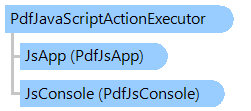
Класс PdfJavaScriptActionExecutor
В этом разделе
Исполнитель действий JavaScript PDF, который интерпретирует код JavaScript.
Объектная модель
Синтаксис
'Declaration

Public Class PdfJavaScriptActionExecutor
   Inherits Vintasoft.Imaging.Pdf.PdfActionExecutorBase
public class PdfJavaScriptActionExecutor : Vintasoft.Imaging.Pdf.PdfActionExecutorBase
public __gc class PdfJavaScriptActionExecutor : public Vintasoft.Imaging.Pdf.PdfActionExecutorBase*
public ref class PdfJavaScriptActionExecutor : public Vintasoft.Imaging.Pdf.PdfActionExecutorBase^
Пример
Вот C#/VB.NET код, который демонстрирует, как использовать исполнитель действий JavaScript в приложении просмотра PDF.
''' <summary>
''' Tests the java script action use new form.
''' </summary>
Public Shared Sub TestJavaScriptAction()
    Dim form As New System.Windows.Forms.Form()
    form.Size = New System.Drawing.Size(800, 600)

    ' create ImageViewer
    Dim viewer As New Vintasoft.Imaging.UI.ImageViewer()
    viewer.Dock = System.Windows.Forms.DockStyle.Fill
    form.Controls.Add(viewer)

    ' set PdfAnnotationTool as visual tool of image viewer
    viewer.VisualTool = CreatePdfAnnotationToolWithJavaScriptSupport(viewer)

    ' add test document to image viewer
    viewer.Images.ClearAndDisposeItems()
    viewer.Images.Add(CreateTestDocument())

    form.ShowDialog()
End Sub

''' <summary>
''' Sets the PDF annotation tool with java script support in specified image viewer.
''' </summary>
''' <param name="viewer">The viewer.</param>
Public Shared Function CreatePdfAnnotationToolWithJavaScriptSupport(viewer As Vintasoft.Imaging.UI.ImageViewer) As Vintasoft.Imaging.Pdf.UI.Annotations.PdfAnnotationTool
    ' create PDF JavaScript application
    Dim jsApp As New Vintasoft.Imaging.Pdf.UI.JavaScript.WinFormsPdfJsApp()
    ' add PDF documents, which are associated with images in viewer,
    ' to the document set of PDF JavaScript application
    jsApp.RegisterImageViewer(viewer)
    ' create PdfJavaScriptActionExecutor for PDF JavaScript application
    jsApp.ActionExecutor = New Vintasoft.Imaging.Pdf.JavaScript.PdfJavaScriptActionExecutor(jsApp, New Vintasoft.Imaging.Pdf.JavaScriptApi.PdfJsConsole())

    ' create PdfAnnotationTool
    Dim annotationTool As New Vintasoft.Imaging.Pdf.UI.Annotations.PdfAnnotationTool(jsApp, True)
    annotationTool.InteractionMode = Vintasoft.Imaging.Pdf.UI.Annotations.PdfAnnotationInteractionMode.Markup

    ' create application action executor
    Dim applicationActionExecutor As New Vintasoft.Imaging.Pdf.PdfActionCompositeExecutor()
    ' PdfJavaScriptAction (a script to be compiled and executed by the JavaScript interpreter)
    applicationActionExecutor.Items.Add(jsApp.ActionExecutor)
    ' PdfGotoAction (navigation on Document)
    applicationActionExecutor.Items.Add(New Vintasoft.Imaging.Pdf.UI.PdfGotoActionExecutor(viewer))
    ' PdfNamedAction (reset interactive form fields)
    applicationActionExecutor.Items.Add(New Vintasoft.Imaging.Pdf.UI.PdfNamedActionExecutor(viewer))
    ' PdfResetFormAction (reset interactive form fields)
    applicationActionExecutor.Items.Add(New Vintasoft.Imaging.Pdf.UI.Annotations.PdfAnnotationToolResetFormActionExecutor(annotationTool))
    ' PdfAnnotationHideAction (hide/show annotation)
    applicationActionExecutor.Items.Add(New Vintasoft.Imaging.Pdf.UI.Annotations.PdfAnnotationToolAnnotationHideActionExecutor(annotationTool))
    ' PdfUriAction (typically a file that is the destination of a hypertext link)
    'applicationActionExecutor.Items.Add(new PdfUriActionExecutor());// PdfDemosCommonCode
    ' PdfLaunchAction (launches an application or opens or prints a document)
    'applicationActionExecutor.Items.Add(new PdfLaunchActionExecutor());// PdfDemosCommonCode
    ' PdfSubmitFormAction (transmits the names and values of selected
    ' interactive form fields to a specified URL)
    'applicationActionExecutor.Items.Add(new PdfSubmitActionExecutor(viewer));// PdfDemosCommonCode
    ' Default action executor (PdfResetFormAction, PdfAnnotationHideAction)
    applicationActionExecutor.Items.Add(New Vintasoft.Imaging.Pdf.PdfActionExecutor())

    ' set PDF annotation tool action executor to application action executor
    annotationTool.ActionExecutor = applicationActionExecutor

    ' create Document-level actions executor
    Dim documentLevelActionsExecutor As New Vintasoft.Imaging.Pdf.PdfDocumentLevelActionsExecutor(jsApp)
    ' set action executor for PdfDocumentLevelActionsExecutor to application action executor
    documentLevelActionsExecutor.ActionExecutor = applicationActionExecutor

    Return annotationTool
End Function

''' <summary>
''' Creates the test PDF document.
''' </summary>
Public Shared Function CreateTestDocument() As System.IO.Stream
    Using document As New Vintasoft.Imaging.Pdf.PdfDocument(Vintasoft.Imaging.Pdf.PdfFormat.Pdf_14)
        Dim page As Vintasoft.Imaging.Pdf.Tree.PdfPage = document.Pages.Add(Vintasoft.Imaging.PaperSizeKind.A4)
        page.Annotations = New Vintasoft.Imaging.Pdf.Tree.Annotations.PdfAnnotationList(document)
        Using graphics As Vintasoft.Imaging.Pdf.Drawing.PdfGraphics = page.GetGraphics()
            Dim kidsRect As New System.Drawing.RectangleF(50, page.MediaBox.Height / 2 + 100, 50, 50)

            Dim fontSize As Single = 12
            Dim font As Vintasoft.Imaging.Pdf.Tree.Fonts.PdfFont = document.FontManager.GetStandardFont(Vintasoft.Imaging.Pdf.Tree.Fonts.PdfStandardFontType.TimesRoman)

            ' create calculator field: group of three fields
            Dim calculator As New Vintasoft.Imaging.Pdf.Tree.InteractiveForms.PdfInteractiveFormField(document, "Calculator")
            calculator.SetTextDefaultAppearance(font, fontSize * 1.5F, System.Drawing.Color.Black)
            calculator.TextQuadding = Vintasoft.Imaging.Pdf.Tree.InteractiveForms.TextQuaddingType.Centered

            ' set the border style
            Dim borderStyle As New Vintasoft.Imaging.Pdf.Tree.Annotations.PdfAnnotationBorderStyle(document)
            borderStyle.Style = Vintasoft.Imaging.Pdf.Tree.Annotations.PdfAnnotationBorderStyleType.Inset
            borderStyle.Width = 1
            ' create the appearance characteristics
            Dim appearanceCharacteristics As New Vintasoft.Imaging.Pdf.Tree.Annotations.PdfAnnotationAppearanceCharacteristics(document)
            appearanceCharacteristics.BorderColor = System.Drawing.Color.Gray

            ' create the left text box
            Dim leftTextField As New Vintasoft.Imaging.Pdf.Tree.InteractiveForms.PdfInteractiveFormTextField(document, "Left", kidsRect, "2")
            leftTextField.DefaultValue = leftTextField.Value
            leftTextField.Annotation.BorderStyle = borderStyle
            leftTextField.Annotation.AppearanceCharacteristics = appearanceCharacteristics
            ' add the left text box to the calculator
            calculator.Kids.Add(leftTextField)

            ' update the rectangle that defines the object position on PDF page
            kidsRect.X += kidsRect.Width

            ' draw the symbol '+' on the page
            graphics.DrawString("+", font, fontSize * 1.5F, New Vintasoft.Imaging.Pdf.Drawing.PdfBrush(System.Drawing.Color.Black), kidsRect, Vintasoft.Imaging.Pdf.Drawing.PdfContentAlignment.Center, _
                False)

            ' create the right text box
            kidsRect.X += kidsRect.Width

            ' create the right text box
            Dim rightTextField As New Vintasoft.Imaging.Pdf.Tree.InteractiveForms.PdfInteractiveFormTextField(document, "Right", kidsRect, "3")
            rightTextField.DefaultValue = rightTextField.Value
            rightTextField.Annotation.BorderStyle = borderStyle
            rightTextField.Annotation.AppearanceCharacteristics = appearanceCharacteristics
            ' add the right text box to the calculator
            calculator.Kids.Add(rightTextField)

            ' update the rectangle that defines the object position on PDF page
            kidsRect.X += kidsRect.Width

            ' draw the symbol '=' on the page
            graphics.DrawString("=", font, fontSize * 1.5F, New Vintasoft.Imaging.Pdf.Drawing.PdfBrush(System.Drawing.Color.Black), kidsRect, Vintasoft.Imaging.Pdf.Drawing.PdfContentAlignment.Center, _
                False)

            ' update the rectangle that defines the object position on PDF page
            kidsRect.X += kidsRect.Width

            ' create the result text box
            Dim resultTextField As New Vintasoft.Imaging.Pdf.Tree.InteractiveForms.PdfInteractiveFormTextField(document, "Result", kidsRect)
            resultTextField.Annotation.BorderStyle = borderStyle
            resultTextField.Annotation.AppearanceCharacteristics = appearanceCharacteristics
            ' add the result text box to the calculator
            calculator.Kids.Add(resultTextField)

            ' create the calculator program written on JavaScript
            Dim javaScriptCode As New System.Text.StringBuilder()
            javaScriptCode.AppendLine("var left = this.getField('Calculator.Left');")
            javaScriptCode.AppendLine("var right = this.getField('Calculator.Right');")
            javaScriptCode.AppendLine("var result = this.getField('Calculator.Result');")
            javaScriptCode.AppendLine("result.value = left.value + right.value;")
            Dim calculatorProgram As New Vintasoft.Imaging.Pdf.Tree.PdfJavaScriptAction(document, javaScriptCode.ToString())
            ' set a program that will calculate value of result field
            resultTextField.AdditionalActions = New Vintasoft.Imaging.Pdf.Tree.InteractiveForms.PdfInteractiveFormFieldAdditionalActions(document)
            resultTextField.AdditionalActions.Calculate = calculatorProgram
            ' specify that calcualtor program must be executed when page is opened
            resultTextField.Annotation.AdditionalActions.PageOpen = calculatorProgram
            ' add result field to the calculated fields (calcualtion order)
            ' of the document interactive form fields
            document.InteractiveForm.CalculationOrder = New Vintasoft.Imaging.Pdf.Tree.InteractiveForms.PdfInteractiveFormFieldList(document)
            document.InteractiveForm.CalculationOrder.Add(resultTextField)

            ' add field to an interactive form of PDF document
            document.InteractiveForm.Fields.Add(calculator)
            ' add field annotation to PDF page
            page.Annotations.AddRange(calculator.GetAnnotations())

            ' add calculate program to page.PageOpen trigger
            page.AdditionalActions = New Vintasoft.Imaging.Pdf.Tree.PdfPageAdditionalActions(document)
            page.AdditionalActions.PageOpen = calculatorProgram

            ' update field appearance
            calculator.UpdateAppearance()
        End Using

        ' save document to stream
        Dim stream As New System.IO.MemoryStream()
        document.Save(stream)

        stream.Position = 0
        Return stream
    End Using
End Function
/// <summary>
/// Tests the java script action use new form.
/// </summary>
public static void TestJavaScriptAction()
{
    System.Windows.Forms.Form form = new System.Windows.Forms.Form();
    form.Size = new System.Drawing.Size(800, 600);

    // create ImageViewer
    Vintasoft.Imaging.UI.ImageViewer viewer = new Vintasoft.Imaging.UI.ImageViewer();
    viewer.Dock = System.Windows.Forms.DockStyle.Fill;
    form.Controls.Add(viewer);

    // set PdfAnnotationTool as visual tool of image viewer
    viewer.VisualTool = CreatePdfAnnotationToolWithJavaScriptSupport(viewer);

    // add test document to image viewer
    viewer.Images.ClearAndDisposeItems();
    viewer.Images.Add(CreateTestDocument());

    form.ShowDialog();
}

/// <summary>
/// Sets the PDF annotation tool with java script support in specified image viewer.
/// </summary>
/// <param name="viewer">The viewer.</param>
public static Vintasoft.Imaging.Pdf.UI.Annotations.PdfAnnotationTool CreatePdfAnnotationToolWithJavaScriptSupport(
    Vintasoft.Imaging.UI.ImageViewer viewer)
{
    // create PDF JavaScript application
    Vintasoft.Imaging.Pdf.UI.JavaScript.WinFormsPdfJsApp jsApp =
        new Vintasoft.Imaging.Pdf.UI.JavaScript.WinFormsPdfJsApp();
    // add PDF documents, which are associated with images in viewer,
    // to the document set of PDF JavaScript application
    jsApp.RegisterImageViewer(viewer);
    // create PdfJavaScriptActionExecutor for PDF JavaScript application
    jsApp.ActionExecutor =
        new Vintasoft.Imaging.Pdf.JavaScript.PdfJavaScriptActionExecutor(
            jsApp, new Vintasoft.Imaging.Pdf.JavaScriptApi.PdfJsConsole());

    // create PdfAnnotationTool
    Vintasoft.Imaging.Pdf.UI.Annotations.PdfAnnotationTool annotationTool =
        new Vintasoft.Imaging.Pdf.UI.Annotations.PdfAnnotationTool(jsApp, true);
    annotationTool.InteractionMode = Vintasoft.Imaging.Pdf.UI.Annotations.PdfAnnotationInteractionMode.Markup;

    // create application action executor
    Vintasoft.Imaging.Pdf.PdfActionCompositeExecutor applicationActionExecutor =
        new Vintasoft.Imaging.Pdf.PdfActionCompositeExecutor();
    // PdfJavaScriptAction (a script to be compiled and executed by the JavaScript interpreter)
    applicationActionExecutor.Items.Add(jsApp.ActionExecutor);
    // PdfGotoAction (navigation on Document)
    applicationActionExecutor.Items.Add(new Vintasoft.Imaging.Pdf.UI.PdfGotoActionExecutor(viewer));
    // PdfNamedAction (reset interactive form fields)
    applicationActionExecutor.Items.Add(new Vintasoft.Imaging.Pdf.UI.PdfNamedActionExecutor(viewer));
    // PdfResetFormAction (reset interactive form fields)
    applicationActionExecutor.Items.Add(
        new Vintasoft.Imaging.Pdf.UI.Annotations.PdfAnnotationToolResetFormActionExecutor(annotationTool));
    // PdfAnnotationHideAction (hide/show annotation)
    applicationActionExecutor.Items.Add(
        new Vintasoft.Imaging.Pdf.UI.Annotations.PdfAnnotationToolAnnotationHideActionExecutor(annotationTool));
    // PdfUriAction (typically a file that is the destination of a hypertext link)
    //applicationActionExecutor.Items.Add(new PdfUriActionExecutor());// PdfDemosCommonCode
    // PdfLaunchAction (launches an application or opens or prints a document)
    //applicationActionExecutor.Items.Add(new PdfLaunchActionExecutor());// PdfDemosCommonCode
    // PdfSubmitFormAction (transmits the names and values of selected
    // interactive form fields to a specified URL)
    //applicationActionExecutor.Items.Add(new PdfSubmitActionExecutor(viewer));// PdfDemosCommonCode
    // Default action executor (PdfResetFormAction, PdfAnnotationHideAction)
    applicationActionExecutor.Items.Add(new Vintasoft.Imaging.Pdf.PdfActionExecutor());

    // set PDF annotation tool action executor to application action executor
    annotationTool.ActionExecutor = applicationActionExecutor;

    // create Document-level actions executor
    Vintasoft.Imaging.Pdf.PdfDocumentLevelActionsExecutor documentLevelActionsExecutor =
       new Vintasoft.Imaging.Pdf.PdfDocumentLevelActionsExecutor(jsApp);
    // set action executor for PdfDocumentLevelActionsExecutor to application action executor
    documentLevelActionsExecutor.ActionExecutor = applicationActionExecutor;

    return annotationTool;
}

/// <summary>
/// Creates the test PDF document.
/// </summary>
public static System.IO.Stream CreateTestDocument()
{
    using (Vintasoft.Imaging.Pdf.PdfDocument document =
        new Vintasoft.Imaging.Pdf.PdfDocument(Vintasoft.Imaging.Pdf.PdfFormat.Pdf_14))
    {
        Vintasoft.Imaging.Pdf.Tree.PdfPage page = document.Pages.Add(Vintasoft.Imaging.PaperSizeKind.A4);
        page.Annotations = new Vintasoft.Imaging.Pdf.Tree.Annotations.PdfAnnotationList(document);
        using (Vintasoft.Imaging.Pdf.Drawing.PdfGraphics graphics = page.GetGraphics())
        {
            System.Drawing.RectangleF kidsRect = new System.Drawing.RectangleF(
                50,
                page.MediaBox.Height / 2 + 100,
                50,
                50);

            float fontSize = 12;
            Vintasoft.Imaging.Pdf.Tree.Fonts.PdfFont font = document.FontManager.GetStandardFont(
                Vintasoft.Imaging.Pdf.Tree.Fonts.PdfStandardFontType.TimesRoman);

            // create calculator field: group of three fields
            Vintasoft.Imaging.Pdf.Tree.InteractiveForms.PdfInteractiveFormField calculator =
                new Vintasoft.Imaging.Pdf.Tree.InteractiveForms.PdfInteractiveFormField(document, "Calculator");
            calculator.SetTextDefaultAppearance(font, fontSize * 1.5f, System.Drawing.Color.Black);
            calculator.TextQuadding =
                Vintasoft.Imaging.Pdf.Tree.InteractiveForms.TextQuaddingType.Centered;

            // set the border style
            Vintasoft.Imaging.Pdf.Tree.Annotations.PdfAnnotationBorderStyle borderStyle =
                new Vintasoft.Imaging.Pdf.Tree.Annotations.PdfAnnotationBorderStyle(document);
            borderStyle.Style =
                Vintasoft.Imaging.Pdf.Tree.Annotations.PdfAnnotationBorderStyleType.Inset;
            borderStyle.Width = 1;
            // create the appearance characteristics
            Vintasoft.Imaging.Pdf.Tree.Annotations.PdfAnnotationAppearanceCharacteristics appearanceCharacteristics =
                new Vintasoft.Imaging.Pdf.Tree.Annotations.PdfAnnotationAppearanceCharacteristics(document);
            appearanceCharacteristics.BorderColor = System.Drawing.Color.Gray;

            // create the left text box
            Vintasoft.Imaging.Pdf.Tree.InteractiveForms.PdfInteractiveFormTextField leftTextField =
                new Vintasoft.Imaging.Pdf.Tree.InteractiveForms.PdfInteractiveFormTextField(document, "Left", kidsRect, "2");
            leftTextField.DefaultValue = leftTextField.Value;
            leftTextField.Annotation.BorderStyle = borderStyle;
            leftTextField.Annotation.AppearanceCharacteristics = appearanceCharacteristics;
            // add the left text box to the calculator
            calculator.Kids.Add(leftTextField);

            // update the rectangle that defines the object position on PDF page
            kidsRect.X += kidsRect.Width;

            // draw the symbol '+' on the page
            graphics.DrawString("+", font, fontSize * 1.5f,
                new Vintasoft.Imaging.Pdf.Drawing.PdfBrush(System.Drawing.Color.Black), kidsRect,
                Vintasoft.Imaging.Pdf.Drawing.PdfContentAlignment.Center, false);

            // create the right text box
            kidsRect.X += kidsRect.Width;

            // create the right text box
            Vintasoft.Imaging.Pdf.Tree.InteractiveForms.PdfInteractiveFormTextField rightTextField =
                new Vintasoft.Imaging.Pdf.Tree.InteractiveForms.PdfInteractiveFormTextField(document, "Right", kidsRect, "3");
            rightTextField.DefaultValue = rightTextField.Value;
            rightTextField.Annotation.BorderStyle = borderStyle;
            rightTextField.Annotation.AppearanceCharacteristics = appearanceCharacteristics;
            // add the right text box to the calculator
            calculator.Kids.Add(rightTextField);

            // update the rectangle that defines the object position on PDF page
            kidsRect.X += kidsRect.Width;

            // draw the symbol '=' on the page
            graphics.DrawString("=", font, fontSize * 1.5f,
                new Vintasoft.Imaging.Pdf.Drawing.PdfBrush(System.Drawing.Color.Black), kidsRect,
                Vintasoft.Imaging.Pdf.Drawing.PdfContentAlignment.Center, false);

            // update the rectangle that defines the object position on PDF page
            kidsRect.X += kidsRect.Width;

            // create the result text box
            Vintasoft.Imaging.Pdf.Tree.InteractiveForms.PdfInteractiveFormTextField resultTextField =
                new Vintasoft.Imaging.Pdf.Tree.InteractiveForms.PdfInteractiveFormTextField(document, "Result", kidsRect);
            resultTextField.Annotation.BorderStyle = borderStyle;
            resultTextField.Annotation.AppearanceCharacteristics = appearanceCharacteristics;
            // add the result text box to the calculator
            calculator.Kids.Add(resultTextField);

            // create the calculator program written on JavaScript
            System.Text.StringBuilder javaScriptCode = new System.Text.StringBuilder();
            javaScriptCode.AppendLine("var left = this.getField('Calculator.Left');");
            javaScriptCode.AppendLine("var right = this.getField('Calculator.Right');");
            javaScriptCode.AppendLine("var result = this.getField('Calculator.Result');");
            javaScriptCode.AppendLine("result.value = left.value + right.value;");
            Vintasoft.Imaging.Pdf.Tree.PdfJavaScriptAction calculatorProgram =
                new Vintasoft.Imaging.Pdf.Tree.PdfJavaScriptAction(document, javaScriptCode.ToString());
            // set a program that will calculate value of result field
            resultTextField.AdditionalActions =
                new Vintasoft.Imaging.Pdf.Tree.InteractiveForms.PdfInteractiveFormFieldAdditionalActions(document);
            resultTextField.AdditionalActions.Calculate = calculatorProgram;
            // specify that calcualtor program must be executed when page is opened
            resultTextField.Annotation.AdditionalActions.PageOpen = calculatorProgram;
            // add result field to the calculated fields (calcualtion order)
            // of the document interactive form fields
            document.InteractiveForm.CalculationOrder =
                new Vintasoft.Imaging.Pdf.Tree.InteractiveForms.PdfInteractiveFormFieldList(document);
            document.InteractiveForm.CalculationOrder.Add(resultTextField);

            // add field to an interactive form of PDF document
            document.InteractiveForm.Fields.Add(calculator);
            // add field annotation to PDF page
            page.Annotations.AddRange(calculator.GetAnnotations());

            // add calculate program to page.PageOpen trigger
            page.AdditionalActions =
                new Vintasoft.Imaging.Pdf.Tree.PdfPageAdditionalActions(document);
            page.AdditionalActions.PageOpen = calculatorProgram;

            // update field appearance
            calculator.UpdateAppearance();
        }

        // save document to stream
        System.IO.MemoryStream stream = new System.IO.MemoryStream();
        document.Save(stream);

        stream.Position = 0;
        return stream;
    }
}
Иерархия наследования
System.Object
Vintasoft.Imaging.Pdf.PdfActionExecutorBase
Vintasoft.Imaging.Pdf.JavaScript.PdfJavaScriptActionExecutor
Требования
Целевые платформы: .NET 9; .NET 8; .NET 7; .NET 6; .NET Framework 4.8, 4.7, 4.6, 4.5, 4.0, 3.5
Смотрите также
Справочник
Члены типа PdfJavaScriptActionExecutor
Пространство имен Vintasoft.Imaging.Pdf.JavaScript